
@Miko A retried webhook creates a second task. Reproduce it, make processing idempotent, and add a test.
👀 1
Bring Claude Code, Codex, or Cursor to Linear, GitHub, GitLab, and Slack. Assign an issue to Miko or just @Miko. Get progress, answers, and pull requests back in your workflow.
engineering
3Interactive preview · messages stay in this demo
product
3Interactive preview · messages stay in this demo
docs
3Interactive preview · messages stay in this demo
Assign an issue to Miko in Linear. Or @Miko in Slack, a GitHub PR, or a GitLab MR. Your chosen coding agent works in an isolated workspace and brings progress and results back to the conversation.



Claude Code, Codex, Cursor, and Grok run the coding work. Gemini and OpenCode are supported too.






Hand off an issue, @mention Miko, or put the work on a schedule. Your coding agent investigates, implements, and checks it in its own workspace, then brings the result back for review.
Assign a Linear issue or @mention Miko in a connected conversation. It picks up the task and repository context so your coding agent can get started.
# engineering@Miko Fix duplicate webhooks.
MikoPicking up your taskWorkingMiko creates a separate Git worktree for each task. A bug fix, a feature, and a documentation update can move forward without mixing their changes.
Forgot an edge case? Add it to the conversation. Miko picks up your follow-up and continues the same task with its existing context.
Also test empty payloads.
MikoOn it. Adding that case to the webhook fix.
Miko writes the code, runs the configured checks, and opens a pull request with a summary. You review the changes and decide what ships.
Ready for your reviewChoose when it runs: a single time, every day, weekly, or a cron schedule. At that time Miko does the task and brings the result back for review.
MikoReview pull requestsAgain tomorrow at 09:00
Select the task on the local board. Its tool calls, checks, and final result stay there for you to read.
Turn a report into a fix. Investigates the repository, implements the change, runs checks, and returns a pull request for review.
Extract shared event validation
Extract repeated event validation into a helper. Keep behavior unchanged.
Keep the public interfaces unchanged too.
Extract shared event validation#851Miko· 17h agoThe helper is extracted. Existing tests pass and interfaces are unchanged.
Pull request ready for reviewHandle null states from the PR review
Handle the reviewer’s null-state feedback in this PR.
Can you cover it with a regression test?
Handle null states from the PR review#852Miko· 17h agoThe test passes. Follow-up changes are ready on this branch.
Pull request ready for reviewValidate incoming API requests
Take the API validation issue while the dashboard task runs.
Keep the dashboard branch untouched.
Validate incoming API requests#853Miko· 17h agoThe API change is ready in its own branch for review.
Pull request ready for reviewCover invalid configuration reloads
Add tests for missing values and invalid settings during config reload.
Make sure the last valid configuration stays active.
Cover invalid configuration reloads#854Miko· 17h agoBoth cases are covered. The affected test suite passes.
Pull request ready for reviewAdd a persistent task status filter
Add a status filter to the task list. Preserve the selection after a reload.
Please include the empty state.
Add a persistent task status filter#855Miko· 17h agoAdded the empty state and checked the affected components. Ready for review.
Pull request ready for reviewExplain repository routing
How does an incoming issue choose a repository?
Include references to the implementation.
Miko· 17h agoThe explanation is ready with code references. No files changed.
Fix duplicate tasks on webhook retries
A retried webhook creates a second task. Reproduce it, make processing idempotent, and add a test.
Also cover an empty payload.
Fix duplicate tasks on webhook retries#857Miko· 17h agoThe fix and tests are ready. Review the branch before merging.
Pull request ready for reviewUpdate the setup guide
Update the setup guide to match the source installer.
Include how to open the status board.
Update the setup guide#858Miko· 17h agoThe guide now covers installation, launch, and the local /board.
Pull request ready for reviewTurn a report into a fix. Investigates the repository, implements the change, runs checks, and returns a pull request for review.
Keep small features moving. Give Miko acceptance criteria and let it work through implementation, checks, and a pull request.
Continue in the review thread. Mention your configured agent in a GitHub PR or GitLab MR to request the next change.
Cover the overlooked cases. Ask for tests around a concrete behavior using your project’s existing patterns.
Get answers grounded in code. Investigate how a system works before deciding what to change.
Make room for the next change. Delegate bounded cleanup and review the diff and checks before merging.
Keep the docs close to reality. Trace the implementation and update setup steps and configuration examples.
Move independent work forward. Tasks get separate Git worktrees and can be routed to different repositories.
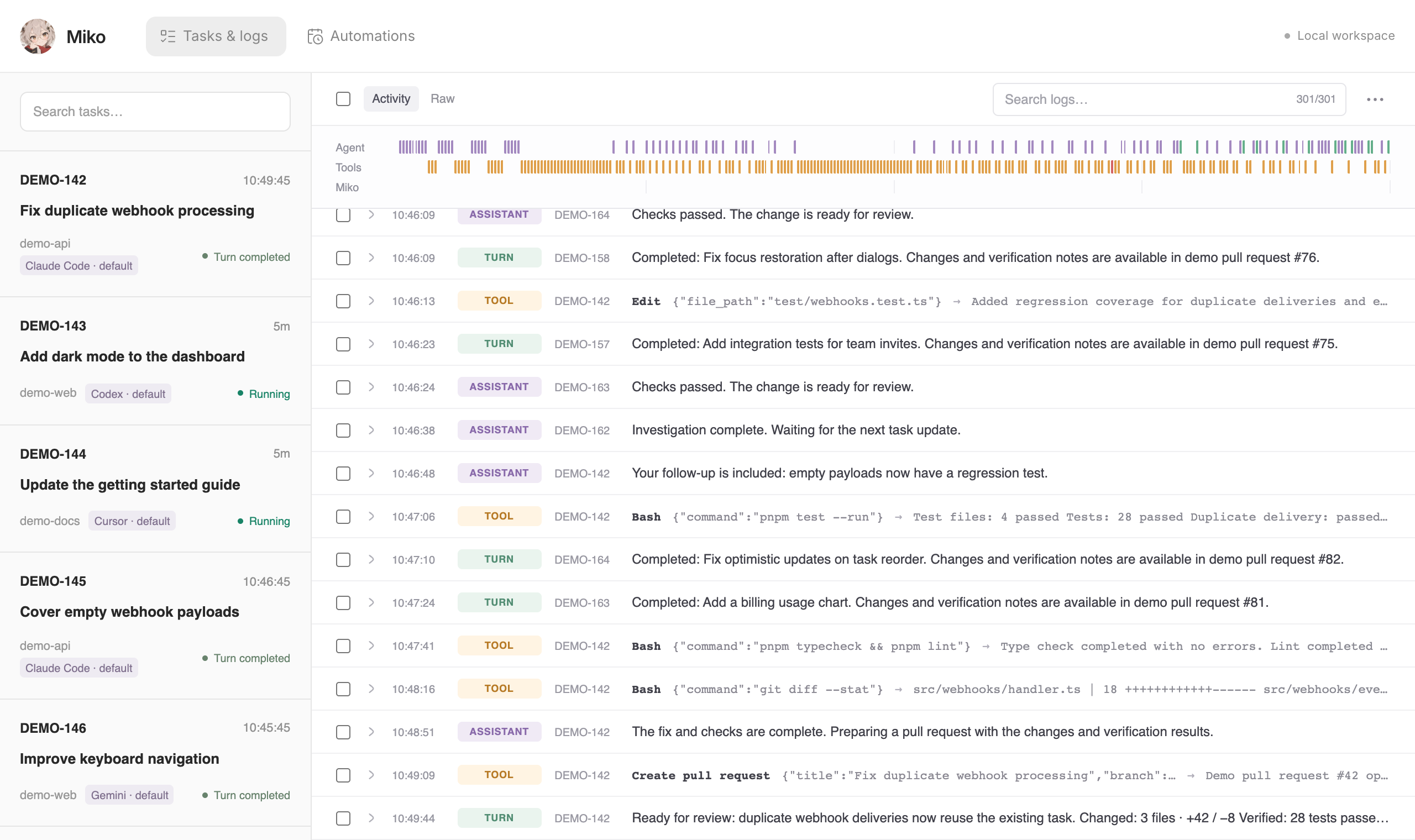
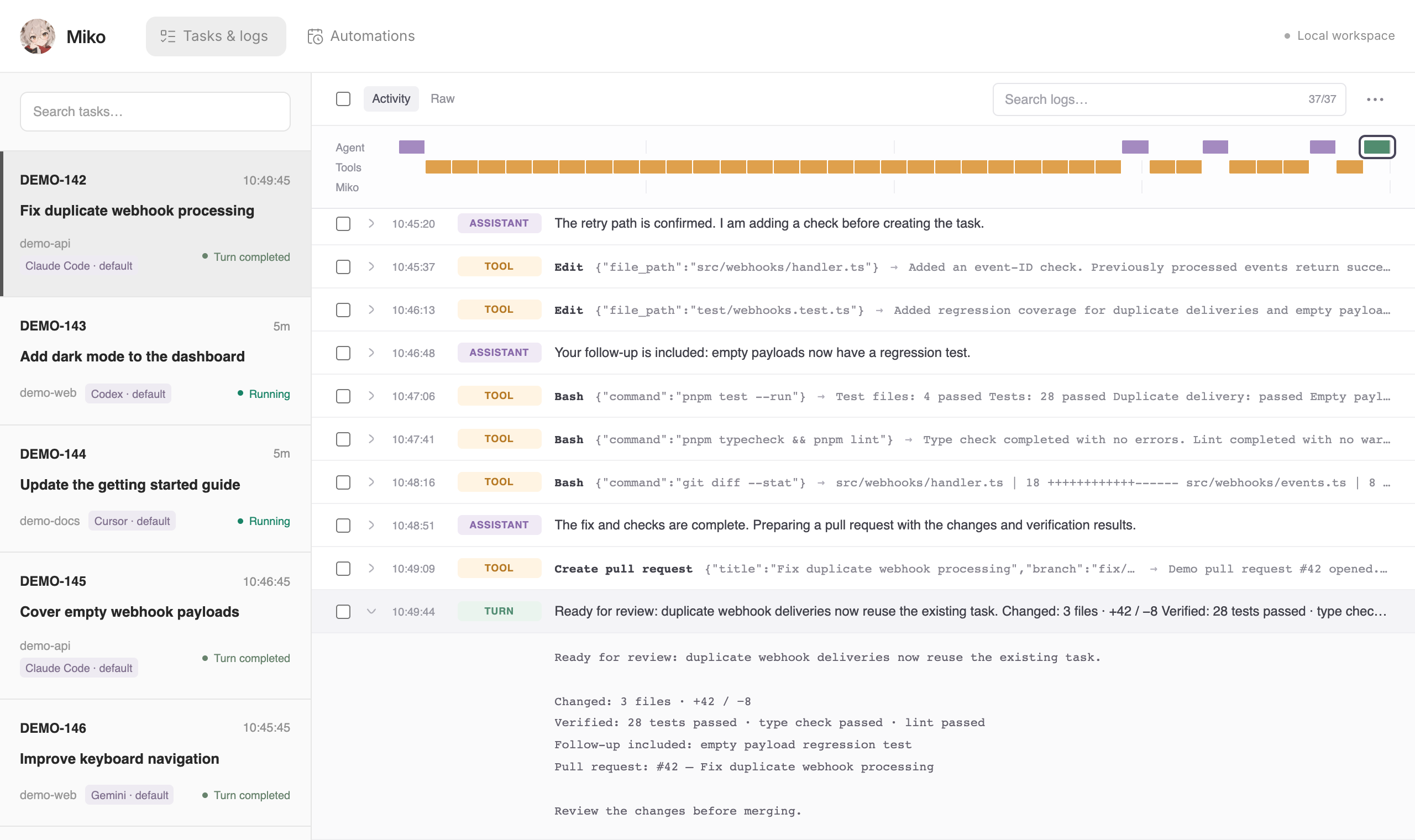
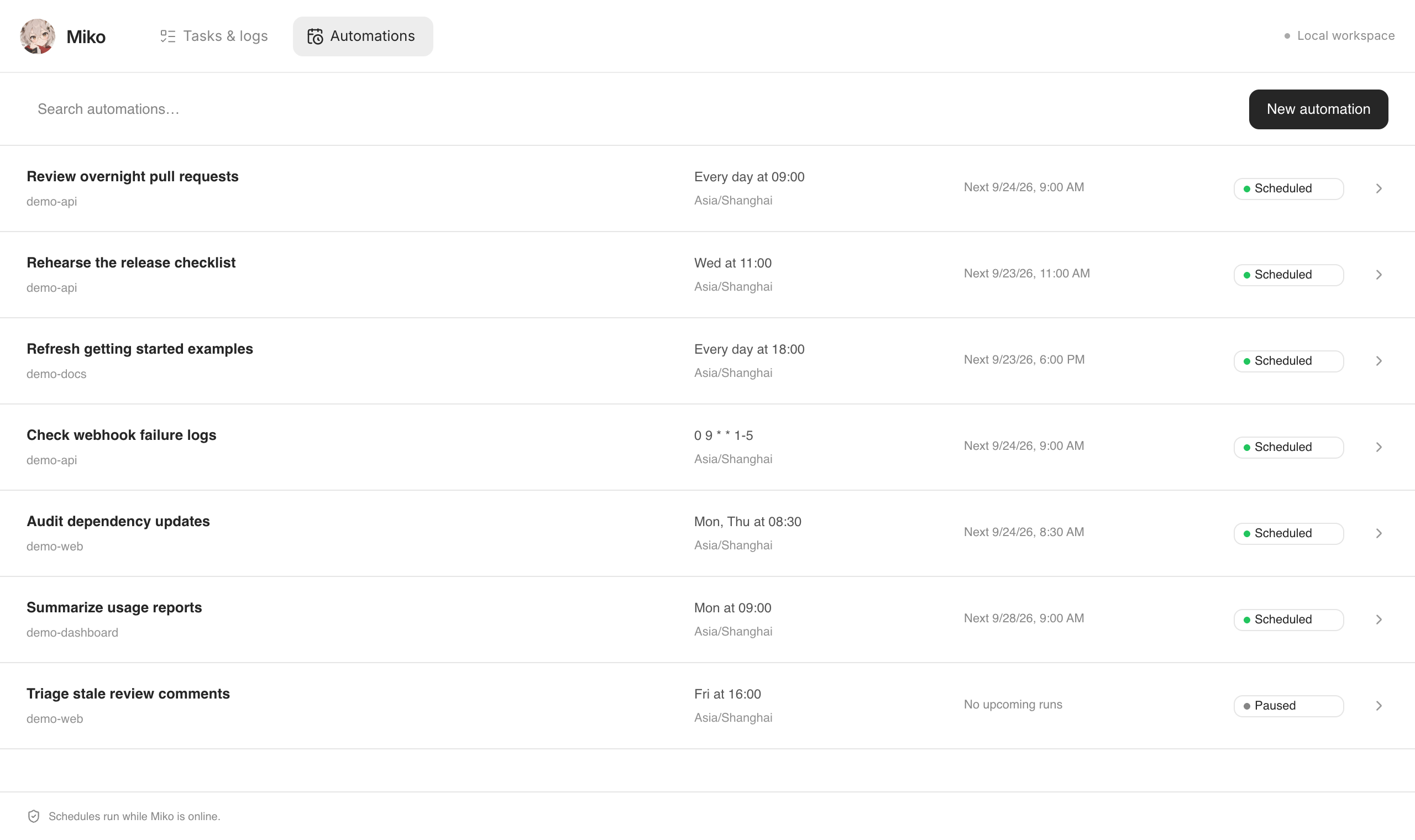
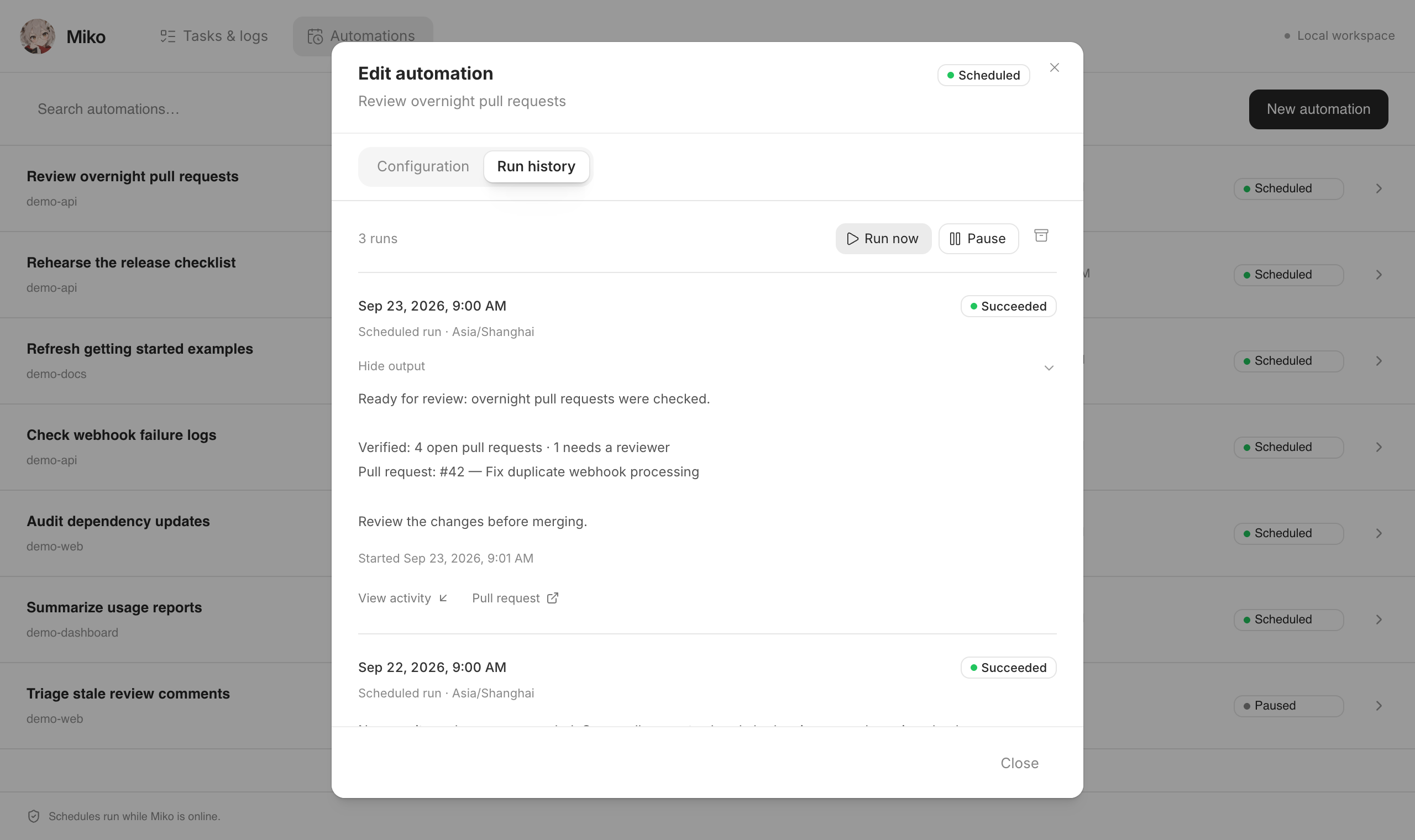
Miko Board in action. Tasks, logs, and scheduled automations shown are demo data.
Miko is a self-hosted coding agent. You run the worker on your machine or server, and model usage stays on your account.
Chooseyour runner
Use the coding agent that fits your work.
Includes:
BYOKyour account
Model usage stays with your provider.
Includes:
Localyour machine
Run the worker on your own machine or server.
Includes:
A self-hosted background coding agent that connects your tools to coding agents and returns work for you to review.
Claude Code, Codex, Cursor, Grok, Gemini, and OpenCode. Configure your runner and model with supported provider credentials.
Add the setup skills with npx skills add mikoagents/miko -g, then run /miko-setup in your coding agent. It guides installation and connections.
Assign a Linear issue to Miko, or @Miko in a GitHub PR, GitLab MR, or Slack conversation. Connect each integration during setup; use the bot handle you configured.
Bring your own supported API credentials or subscription authentication. Provider usage and hosting costs are yours. The source is Apache 2.0.
Tasks run in separate Git worktrees. Repository routing sends work to the configured repository, keeping working directories apart.
On your machine or server. The selected coding provider processes requests under your configured account. Follow tasks and searchable logs on the local status board.
One prompt for your agent. Then your first task, and the logs on the board.
Copy it into Claude Code, Codex, Cursor, or your coding agent. It tells the agent what to do first, then what to do next.
Set up Miko for me. Do these in order.

First, install the setup skills by running this in the terminal:
npx skills add mikoagents/miko -g

Then run /miko-setup in this chat. Guide me through the rest: check prerequisites, install Miko from source, connect my coding credentials, add my repositories, and help me launch it. I will sign in and approve access when you ask.Assign a Linear issue, or @Miko in a configured GitHub PR, GitLab MR, or Slack conversation.
Keep the worker and any tunnel running so new tasks can reach Miko.
Open this address on the machine running Miko. Select the task and follow its live log.
http://127.0.0.1:3456/boardInstalling the skills adds the setup workflow. Running /miko-setup installs the runtime. You sign in and approve access to your accounts during setup.